Approve all, with a stop button
- Approve everyone waiting in one click, with a progress bar
- Stop the run at any point
- Approving one person with Skool's own button saves their answers too

Hi, I'm Skoot 👋 I approve your members and save every answer for you.
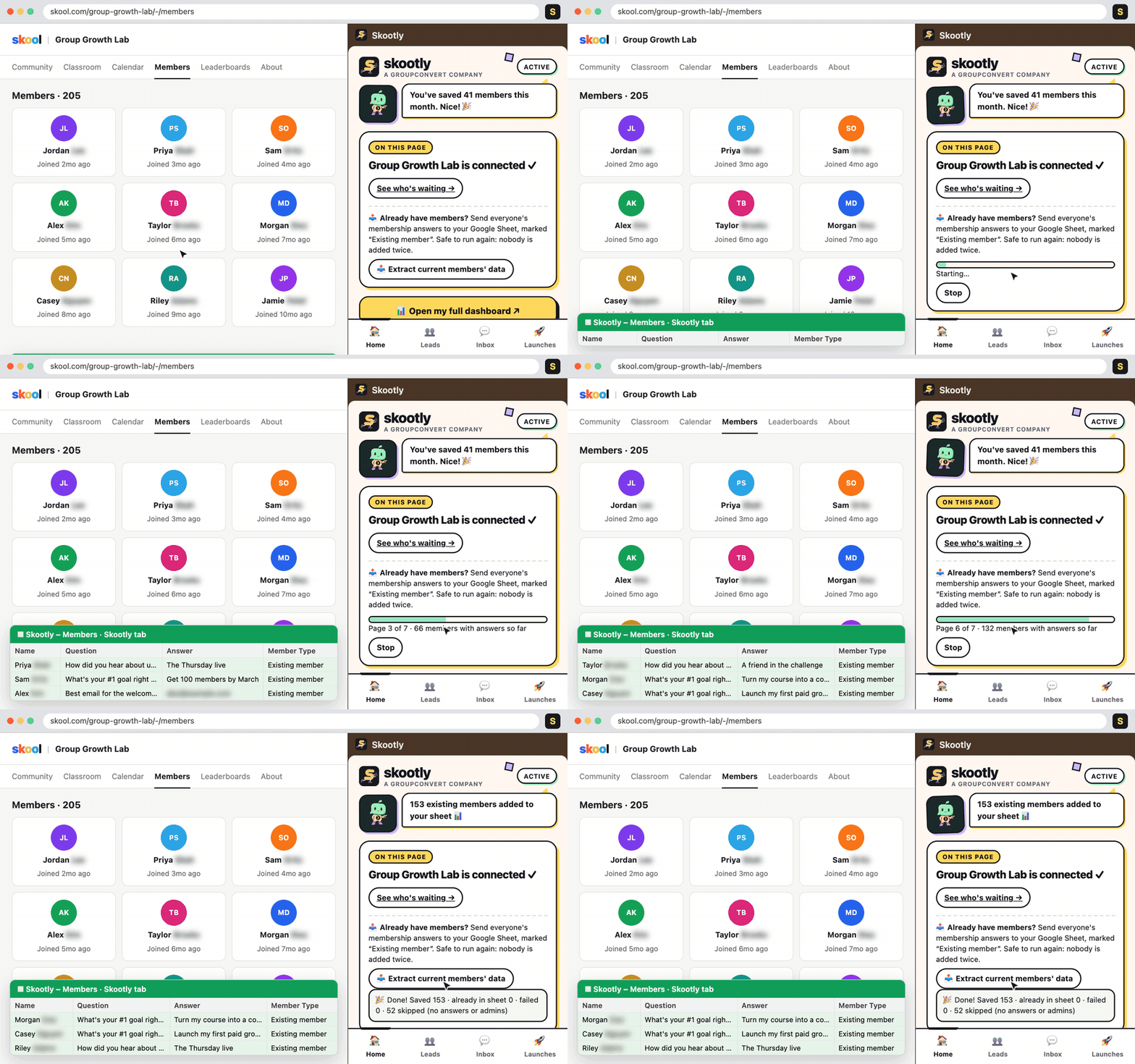
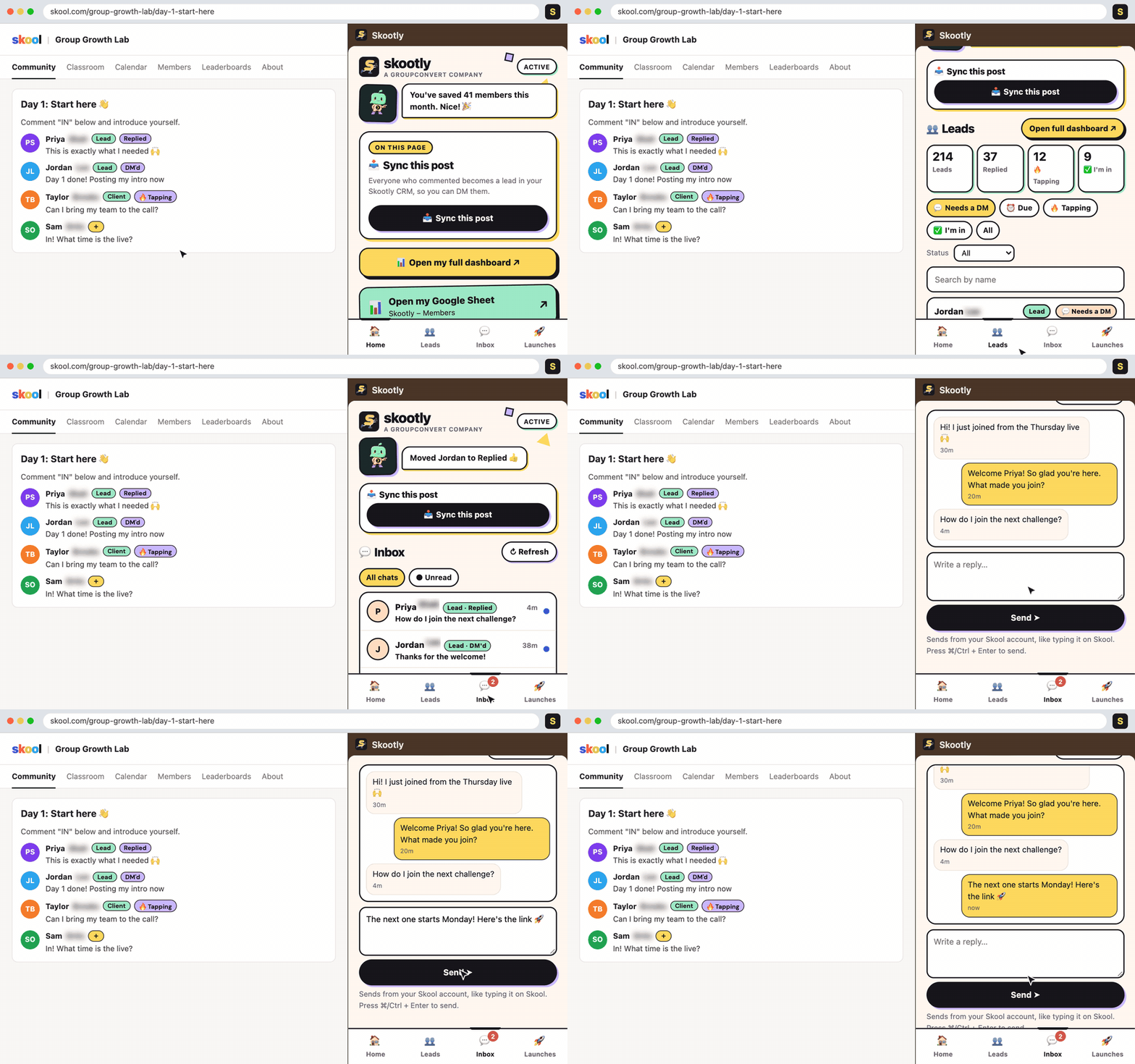
Skootly™ sits in a side panel next to your Skool community. Approve everyone waiting in one click, send their membership answers to your Google Sheet, and follow up with each lead from a simple CRM. Run a Facebook group too? Skootly works on Facebook member requests as well.
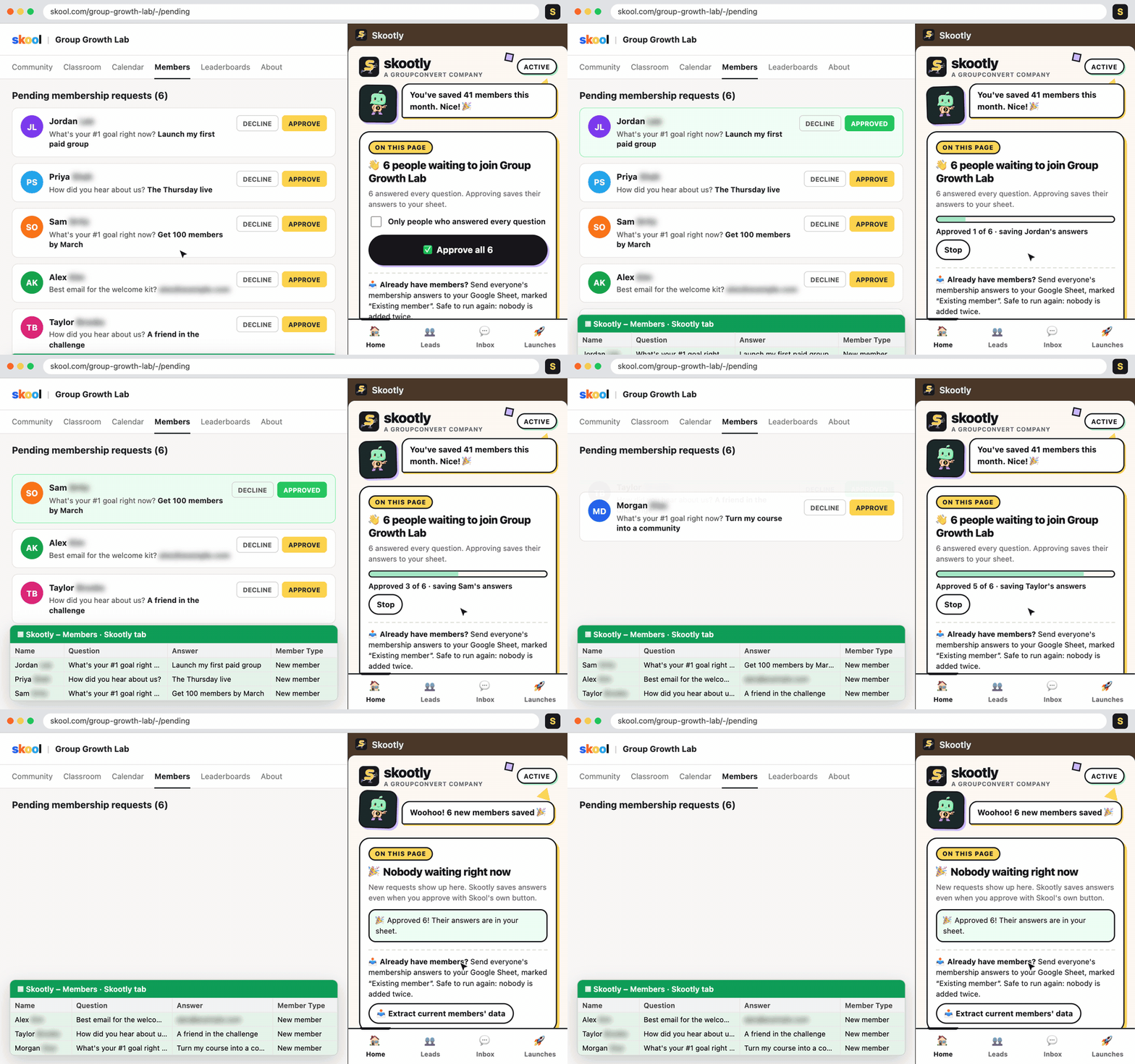
Recorded with the real Skootly side panel and sample members. Last names and emails are blurred.
Choose Standard, Premium or VIP and check out in a minute. Then join the Skootly community on Skool and install the Chrome extension.
Link the Google Sheet where you want member answers to land. Skootly adds a Skootly tab with the headers filled in.
Click Approve all in the side panel. Each approved member's answers go straight to the sheet and into your CRM.
No roadmap promises on this page. These features are live today.
Secure checkout by Stripe. Cancel anytime.
Cancel anytime
Cancel anytime
Cancel anytime
Secure checkout by Stripe. Have a promo code? Enter it in the Promo code box on the order page.
Soon your Skootly comes with a rotating library of Skoot Packs. Each pack installs a real business's SOPs into your Skootly: their sales stages, DM scripts, follow-up rhythm and checklists. Copy the sales team that's already winning instead of building yours from scratch.
Only teams who installed a pack can rate it, and they say whether it worked for them.
Skootly will measure what changed after a team installed a pack, like booked calls or fewer cancellations.
Every pack is built with the business behind it, and creators earn when you install their pack.
Pick a plan above and check out on the secure order page. Right after you pay you'll get your next steps: join the Skootly community on Skool and install the Chrome extension.
Yes. Skootly works on the pending requests and members pages, which only community admins can see.
Yes. Turn on Facebook groups in Skootly, then open your group's Member requests page. Approve all works there too. Approved members' answers go to a Facebook tab in your Google Sheet, declined people go to a Facebook – Declined tab, and new members show up in your CRM tagged facebook. You need to be an admin or moderator of the Facebook group.
Google Chrome on a desktop or laptop. Skootly runs as a Chrome side panel next to your Skool tab.
Membership answers go to the Google Sheet you connect and to your Skootly CRM. You can delete any lead at any time. Your Skool chats are read in your browser and never stored on Skootly's servers.
No. Both are optional. Connect them from the Sync tab only if you already use them.
Yes. Skootly has an MCP server at mcp.skootly.com/mcp. In Claude, add it as a custom connector and sign in with your Skootly login. For Grok, ChatGPT or your own bot, make a key on your account page (app.skootly.com → Connect an AI assistant) and paste it into the bot's MCP settings. Keys are read-only unless you choose otherwise, and you can revoke them anytime.
Yes, anytime. Your Google Sheet stays yours after you cancel.
Approve your members, keep their answers and follow up with the right people, all from one side panel.
Pick your plan →